Recording
Record gameplay to MP4 at your game's framerate and resolution. Pull marketing trailers straight off a real device, or hand your players a built-in record button.
Native screen recording, instant replay, and screenshots for any Unity project — hardware-encoded on iOS and Android, with a software fallback everywhere else.
Record gameplay to MP4 at your game's framerate and resolution. Pull marketing trailers straight off a real device, or hand your players a built-in record button.
A rolling buffer captures continuously and exports the most recent seconds on demand — save the highlight after it has already happened.
Take screenshots on demand, including your Screen Space Overlay UI. Trigger them from code, or give your players a capture button.
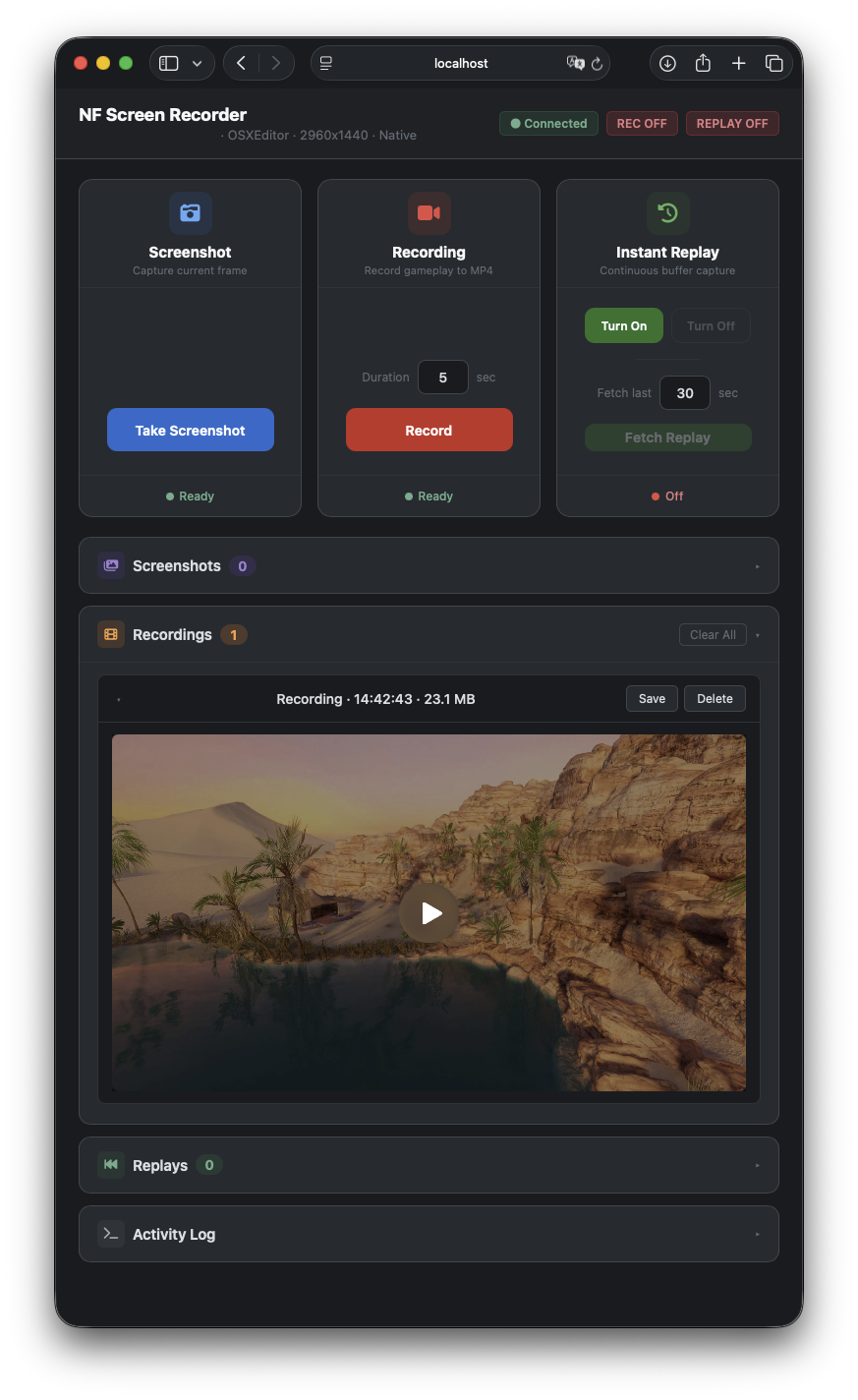
Trigger recordings, replays, and screenshots from your PC while the game runs on a device — and save them straight to your machine.
Drop the ScreenRecorderFacade component into your first scene. It marks itself DontDestroyOnLoad, so one instance follows your game across scene loads.
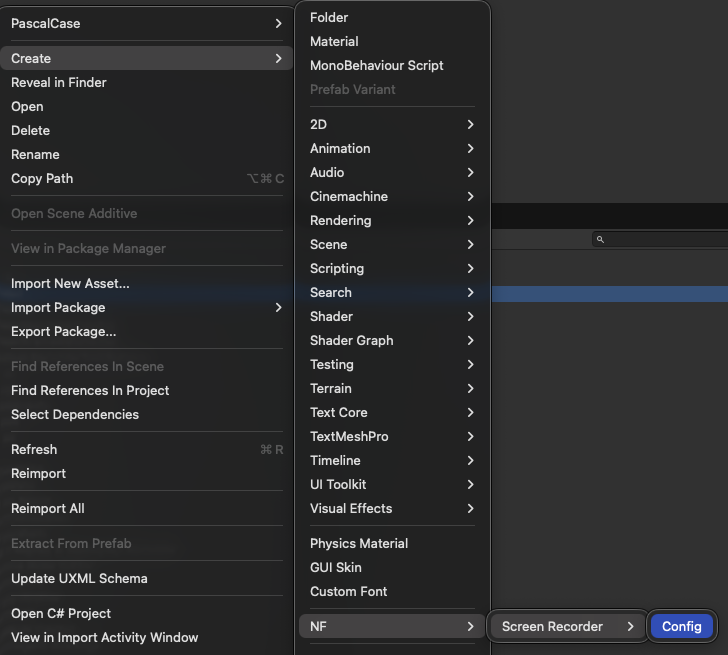
Right-click → Create → NF → Screen Recorder → Config. Pick a preset or set your own bitrate, codec, and framerate. Skip this entirely if the defaults work for you.
Day to day you touch three methods — RecordFor, SaveInstantReplay, TakeScreenshot. Hand each a callback for the bytes, or await the UniTask version.
// Record for a fixed duration
recorder.RecordFor(10, mp4 => File.WriteAllBytes(path, mp4));

// Save the last N seconds from the rolling buffer
recorder.SaveInstantReplay(15, mp4 => UploadClip(mp4));

// Screenshot — includes your Screen Space Overlay UI
recorder.TakeScreenshot(jpeg => ShareSheet.Show(jpeg));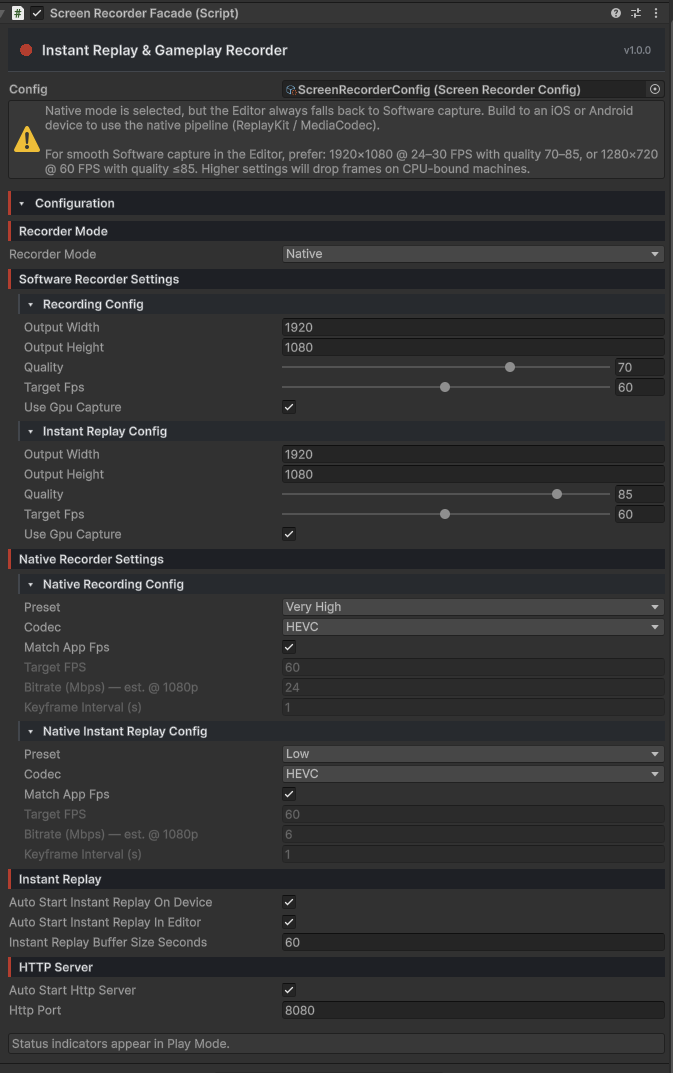
Mobile recording goes through the platform's own hardware encoders — not a CPU readback loop. That means full game framerate, full game resolution, no thermal cliff, no dropped frames.
ReplayKit.framework and writes the required Info.plist keys for you.Choose H.264 or HEVC — HEVC files run roughly 30–50% smaller at the same visual quality.
A rolling in-memory buffer records continuously in the background. When the player dies, scores, finishes the lap, or pulls off something amazing, save the last few seconds and you have a clip.
Buffer length runs up to 10 minutes, with its own quality settings independent of your normal recordings — keep it light without compromising the main capture.
// Save the last 15 seconds instantly
recorder.SaveInstantReplay(15, mp4 => Save(mp4));

// UniTask variant — lights up when
// com.cysharp.unitask is present
var clip = await recorder.SaveInstantReplayAsync(15, token);The package ships with a small browser dashboard served by an embedded HTTP server. Open it on your laptop, point it at the device's IP, and trigger record, replay, and screenshot from a real keyboard while your game runs on a phone in your hand. No cables, no third-party apps.
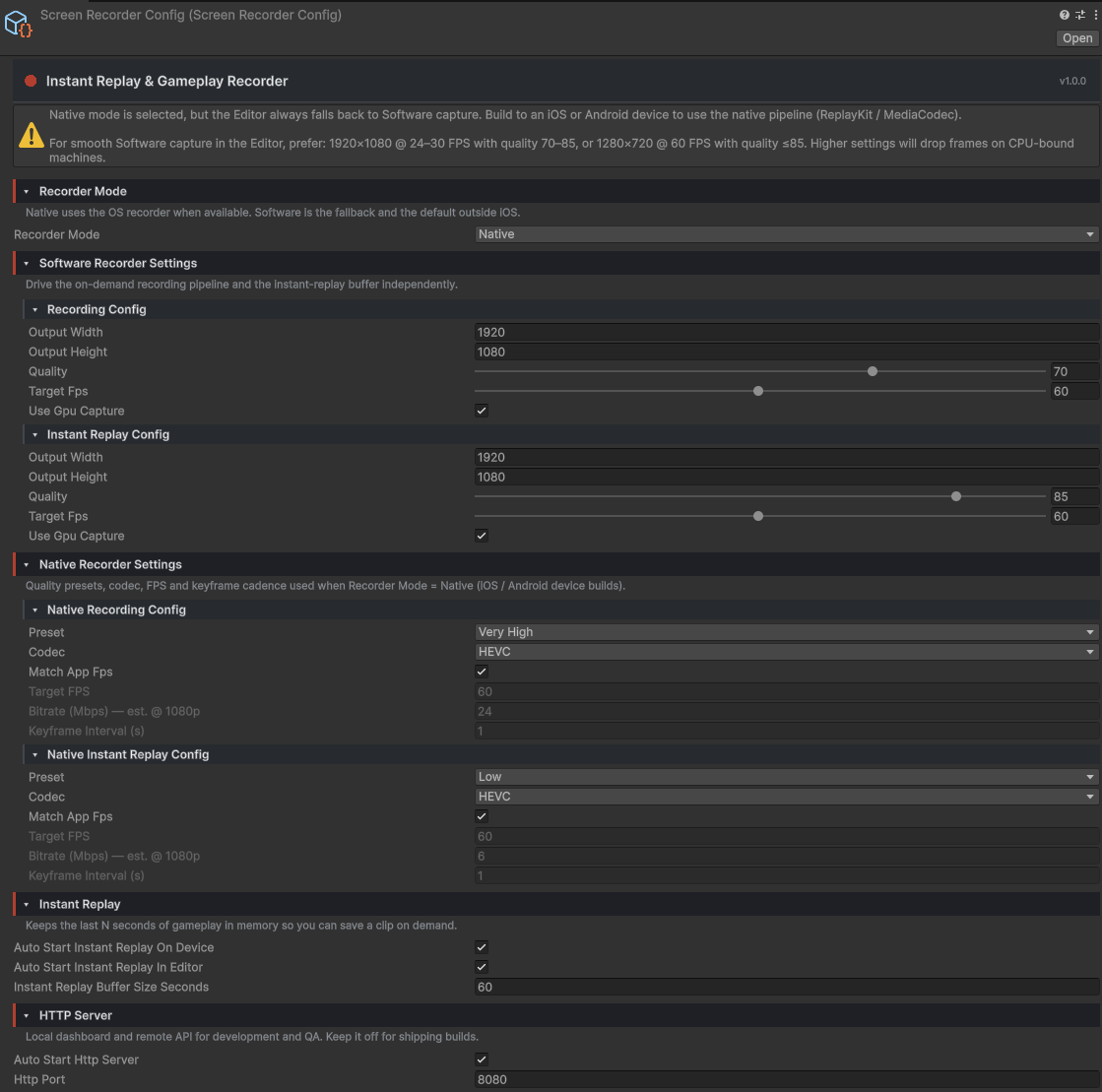
Every recording detail lives on a single ScreenRecorderConfig ScriptableObject with a custom inspector:
Need different settings per scene or per build flavour? Call
Initialize(config) at runtime and the whole config swaps in one line.